Arc alternative
An Arc alternative for Mac, Windows and Linux
- Platforms
- macOS, Windows, Linux
- Price
- Free
- Account
- None
- Telemetry
- None
- Licence
- GPL-3.0-or-later
What Arc users rely on, and what Tarn has
| In Arc | In Tarn |
|---|---|
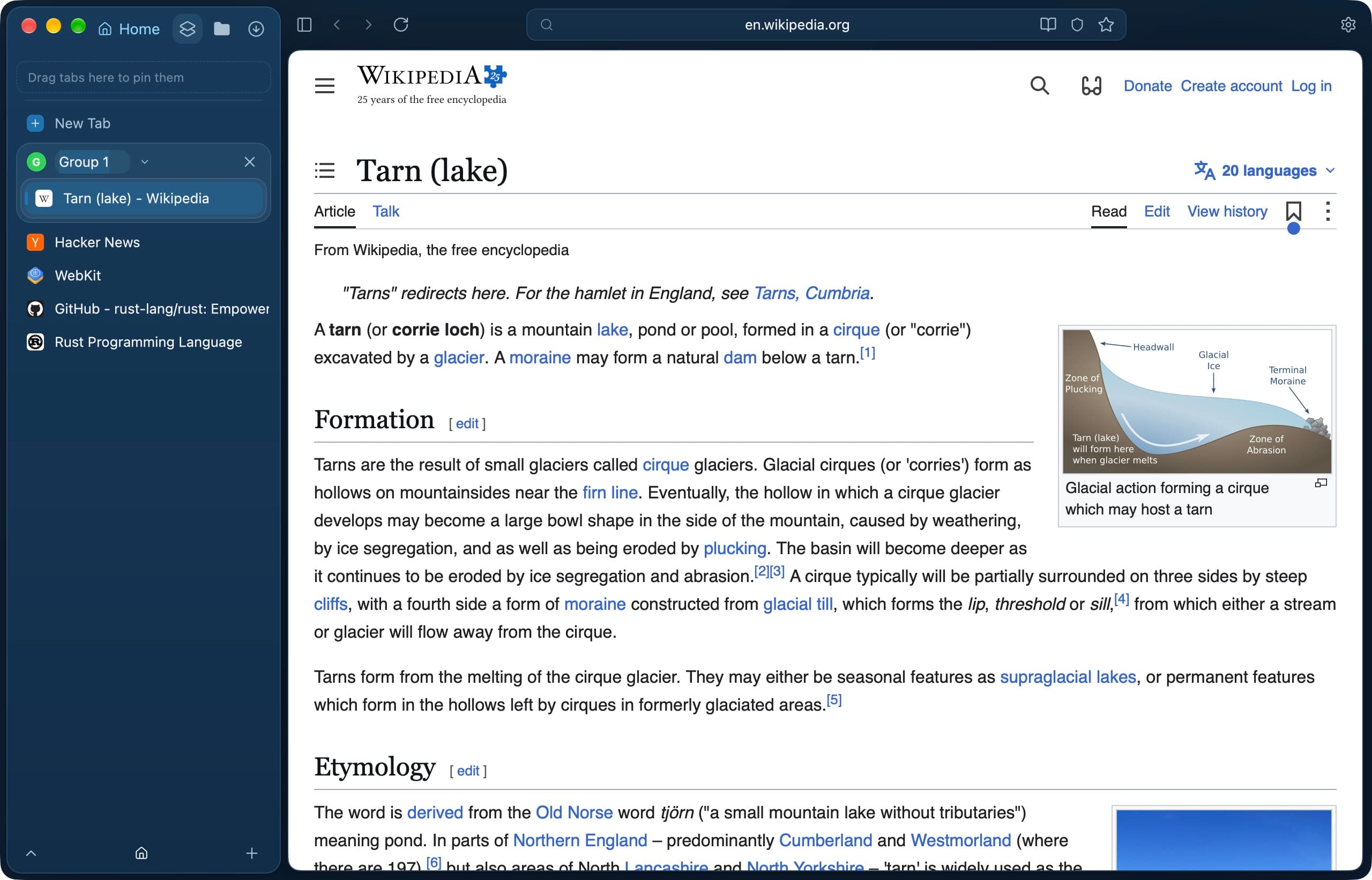
| Sidebar with pinned tabs and folders | Vertical tabs in a sidebar, pinned tabs that remember their page, tiles, folders and tab groups |
| Spaces, each with a profile | Spaces with their own name, colour and icon, inside profiles that keep cookies, history and site data apart; ⌃1 to ⌃9 or a swipe over the sidebar switches them |
| Split View with up to four tabs | Split View with up to four tabs, side by side or stacked; drop a tab on another tab to split them |
| Command Bar | One field for addresses, search, open tabs and app actions; type > for every command |
| Peek | Link peek: ⇧-click a link to open it over the page, Open in Tab to keep it |
| Air Traffic Control | “Always open in” sends a site's new tabs to the space you choose |
| Tabs archived after a while | Settings › Tabs can close unused tabs after 12 hours, 1 day or 7 days into an Archived Tabs folder; off by default |
| Boosts | Per-site CSS, dark mode and zoom, and Zap Element to hide parts of a page |
| Arc Max AI features | An optional assistant through the Claude API, an on-device model or Ollama, off until you turn it on |
| Chrome extensions | No Chrome extensions; Safari web extensions on macOS and Tarn's own extensions on every desktop |
| Arc account and Arc Sync | No account and no sync; everything stays on your device |
Why Tarn works as an Arc replacement
Arc showed that tabs work better in a calm sidebar, grouped into spaces. Tarn is built around the same idea and adds what Arc never had.
- Linux as well as macOS and Windows: Arc never shipped for Linux.
- No account to make, ever. Arc needed one before you could browse.
- Ads, trackers, cookie banners, YouTube ads, pop-ups and malware sites blocked by signed lists, each a switch.
- Open source under the GPL-3.0-or-later, so it cannot be switched off for you the way Arc is being retired.
- Keyboard first: nearly every action has a shortcut, most of them rebindable, and ⌘/ lists them all.
What you give up compared with Arc
Tarn does not run Chrome extensions and has no sync between devices. Its iOS and Android apps are still in testing, and the Windows build is an unsigned preview. Tarn is before version 1.0, so settings and stored data can change between releases. If you need your extensions and passwords moved for you, Dia, The Browser Company's successor to Arc for Mac and Windows, does that. If you want an open-source browser built on Firefox with workspaces, Zen is another option.
How to move from Arc to Tarn
Do it before 22 December 2026, while Arc still opens. Install Tarn, then open Library › Import (Import Browser Data). Tarn lists the Arc profiles it finds on macOS and Windows and copies their history and bookmarks into the Tarn profile you pick; on macOS, Import All brings cookies too, so many sites stay signed in. Nothing is sent anywhere.
- Create a space for each Arc space you used, and a separate profile where you want logins kept apart.
- Pin the sites you kept as favourites, or add them to tiles.
- Set “Always open in” for sites that belong in one space.
- Passwords and extensions do not import: export passwords from Arc to a password manager first.
Tarn and Arc side by side
| Feature | Tarn | Arc |
|---|---|---|
| Engine | macOS: system WebKit, Chromium optional; Windows: Chromium; Linux: WebKitGTK | Chromium (Blink) |
| Built-in blocking | Yes: trackers, ads, cookie banners, malware, each a switch | Not verified |
| Account required | No: Tarn has no accounts | Yes, for the desktop browser |
| Telemetry | None | Not verified |
| Sidebar and vertical tabs | Yes: vertical tabs in the sidebar | Yes: tabs, search and bookmarks in a sidebar |
| Spaces and profiles | Yes: spaces, and profiles with separate data | Yes: spaces, each with a profile |
| Split view | Yes: up to four tabs | Yes: up to four tabs |
| Sync between devices | No | Yes, with an Arc account |
| Extensions | Partly: Safari web extensions on macOS, Tarn extensions on desktop; no Chrome extensions | Yes: Chrome extensions |
| Platforms | macOS 14+, Windows 10+, Linux today; iOS, Android in development | macOS 13+, Windows 10+; stops working 22 Dec 2026 |
| Open source | Yes: GPL-3.0-or-later, source public on GitHub | No |
— means we could not verify the cell from Arc's own documentation or established reporting. The full comparison of Tarn and Arc explains each row.
Switching from Arc
When does Arc stop working?
On 22 December 2026, on Mac and Windows. The Browser Company announced it on 22 October 2026, stopped new sign-ups and says account data is deleted within 30 days after the shutdown.
What is the best Arc alternative for Windows and Linux?
It depends on what you used Arc for. On Windows, Dia moves your Arc data for you. On Linux, where Arc never ran, Tarn and Zen both offer a sidebar, workspaces and split view. Tarn adds built-in ad and cookie-banner blocking, needs no account and runs the same way on macOS, Windows and Linux.
Is Tarn free?
Yes. Tarn is free to download and use, and its source code is public under the GPL-3.0-or-later.
Can I import my Arc data into Tarn?
Yes, on macOS and Windows: history and bookmarks, plus cookies on macOS with Import All. Passwords, extensions and Arc's spaces do not import.
Does Tarn have spaces and Split View like Arc?
Yes. Spaces have a name, colour and icon and belong to a profile with its own cookies and history. Split View shows up to four tabs, as Arc's did.
Does Tarn need an account?
No. Tarn has no accounts and no servers of its own, and sends no telemetry.
Does Tarn work on iPhone and Android like Arc Search?
Not yet. Tarn's iOS and Android apps are in testing and not released.
Sources
- Arc: sunset notice on arc.net
- Arc: Privacy policy
- Dia: Available for macOS and Windows
- TechCrunch: Arc browser sunsets December 22
- The Register: Arc browser development ends
- Wikipedia: Arc (web browser)
- Arc Help Center: Auto Archive
- Arc Resources: Air Traffic Control (archived)
- All Things How: Arc browser tips (Peek)
- Zen Browser: Download
- Zen Browser source code (MPL-2.0)
- Arc Help Center: Ad blocking in Arc and Manifest V3
- Tarn: the project's README, changelog, privacy notice and source code.
Last reviewed
Try Tarn on your computer
No account to make and nothing sent home. For macOS, Windows and Linux.