Tarn and Safari: same engine, different shell
| Feature | Tarn | Safari |
|---|---|---|
| Engine | System WebKit; Chromium per tab, optional | WebKit |
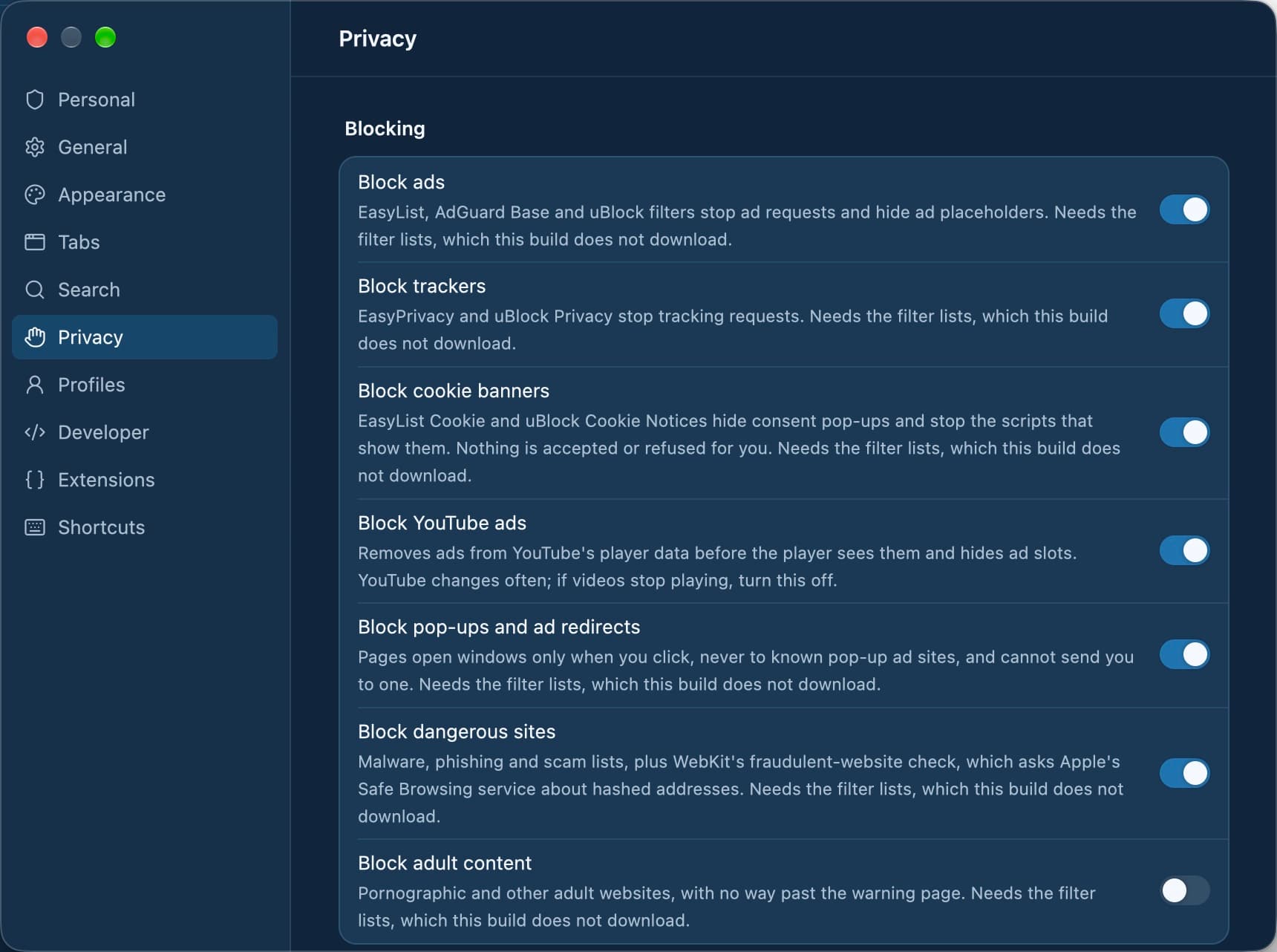
| Built-in blocking | Yes: trackers, ads, cookie banners, malware, each a switch | Partly: Intelligent Tracking Prevention; ad blocking needs an extension |
| Account required | No: Tarn has no accounts | No; iCloud is optional, for sync |
| Telemetry | None | Not verified |
| Sidebar and vertical tabs | Yes: vertical tabs in the sidebar | Partly: Tab Groups in the sidebar |
| Spaces and profiles | Yes: spaces, and profiles with separate data | Yes: profiles with separate history, cookies and extensions |
| Split view | Yes: two tabs side by side | Not verified |
| Sync between devices | No | Yes, through iCloud |
| Extensions | Partly: Safari web extensions from installed Mac apps | Yes: Safari extensions |
| Platforms | macOS 14+ today; Windows, Linux, iOS, Android in development | Mac, iPhone, iPad, Apple Vision Pro |
| Open source | MIT or Apache-2.0 licence; source not public yet | Partly: WebKit is open source, Safari is not |
— means we could not verify the cell from Safari's own documentation or established reporting. Sources are listed at the end of the page.
Where Tarn differs from Safari
Both use WebKit, so the difference is the shell around the page and what it blocks before the page loads.
- Ads, trackers, cookie banners, YouTube ads, pop-ups and malware sites are blocked by signed lists that update daily, each with its own switch.
- Shield has three levels per profile or site: Standard, Strict (HTTPS-only) and Lockdown (JavaScript off, no site data kept).
- Vertical tabs, spaces with their own colour and icon, and Split View with ⌃⌘N live in one window.
- No accounts and no telemetry; the few connections Tarn makes are listed in Settings › Privacy.
Where Safari is the better choice
Safari is built by Apple, ships with every Mac and has years of polish. If you use an iPhone or iPad, iCloud keeps tabs, bookmarks and Tab Groups in step across devices, which Tarn does not do. Safari's extension catalogue is larger, and it runs on Mac, iPhone, iPad and Apple Vision Pro today, while Tarn runs on the Mac only and is in early development.
Switching from Safari: what to expect
Pages look and work the same, because the engine is the same. Tarn keeps Safari's user agent, and WebKit security fixes still arrive with macOS updates. Tarn's importer reads Chrome, Edge, Brave, Arc, Dia and Firefox profiles, not Safari's, so Safari bookmarks do not come across with it. Tarn needs macOS 14 or later.
Tarn or Safari?
Does Tarn render pages differently from Safari?
No. Tarn uses the system WebKit that macOS ships, the same engine as Safari, and keeps Safari's user agent. You can open single tabs in Chromium if a site needs it, once signed updates are published.
Does Safari block ads?
Safari's Intelligent Tracking Prevention blocks third-party cookies and limits cross-site tracking by default. Blocking ads needs a content-blocker extension. Tarn blocks ads, trackers and cookie banners itself.
Can Tarn sync with my iPhone like Safari does?
No. Tarn has no sync and no accounts today, and its iPhone and iPad app is still in development. If you need tabs and bookmarks on every Apple device, Safari does that now.
Does Tarn have profiles like Safari?
Yes. Tarn profiles keep cookies, logins, site data, history and bookmarks fully separate, and each profile can hold several spaces. A private space keeps everything in memory.
Do Safari extensions work in Tarn?
Partly. Tarn offers Safari web extensions that come with apps in your Applications folder, turned on per profile in Settings › Extensions. Safari's own catalogue is larger.
Sources
- WebKit: Tracking Prevention in WebKit
- Apple Support: Prevent cross-site tracking in Safari on Mac
- Apple Support: Use profiles in Safari on Mac
- Tarn: the project's README, privacy notice, threat model and interface notes.
Last reviewed
Try Tarn on your Mac
No account to make and nothing sent home. macOS 14 or later; other platforms are in development.