Protection
Three levels of protection, set per site
- Levels
- Standard, Strict, Lockdown
- Default
- Standard for a new profile
- Set for
- A whole profile, or one site from the Shield badge
- Strict adds
- HTTPS-only with no bypass, no cross-site referrer
- Lockdown adds
- JavaScript off, no site data kept
- Counters
- Kept on your Mac, per profile
- blocked
- 0
- cleaned
- 0
- passed
- 0
- Trackers and ads blocked✓on
- Tracking parameters stripped✓on
- Local network kept out of reach✓on
- HTTPS onlyoff
- No cross-site referreroff
- JavaScript offoff
- No site data keptoff
What does each Shield level do?
Each level includes everything below it. Pick the one that fits how much a site needs to work versus how little you want it to learn.
- Standard: blocks trackers and ads, strips tracking parameters and stops public pages from reaching addresses on your local network.
- Strict: adds HTTPS-only with no way to click through, and no referrer leaves the site unless the page sets its own policy.
- Lockdown: adds JavaScript off and keeps no site data.
How do I change the level for one site?
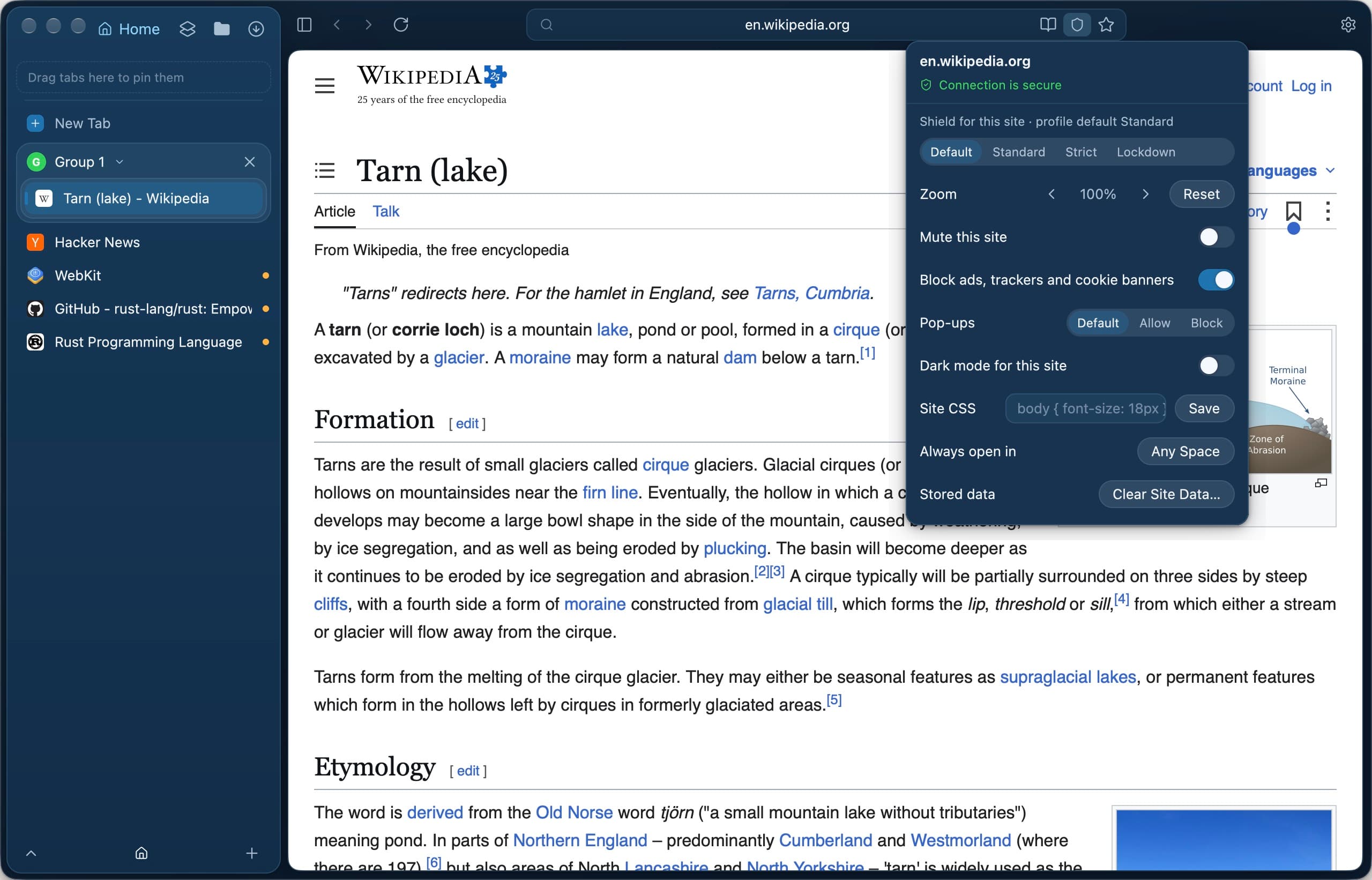
Click the Shield badge in the address field. It opens Site Settings for the page, where Shield for this site can be Default, Standard, Strict or Lockdown. The profile-wide level lives in Settings › Privacy, which also lists every site override with a Remove button.
What does the Shield card count?
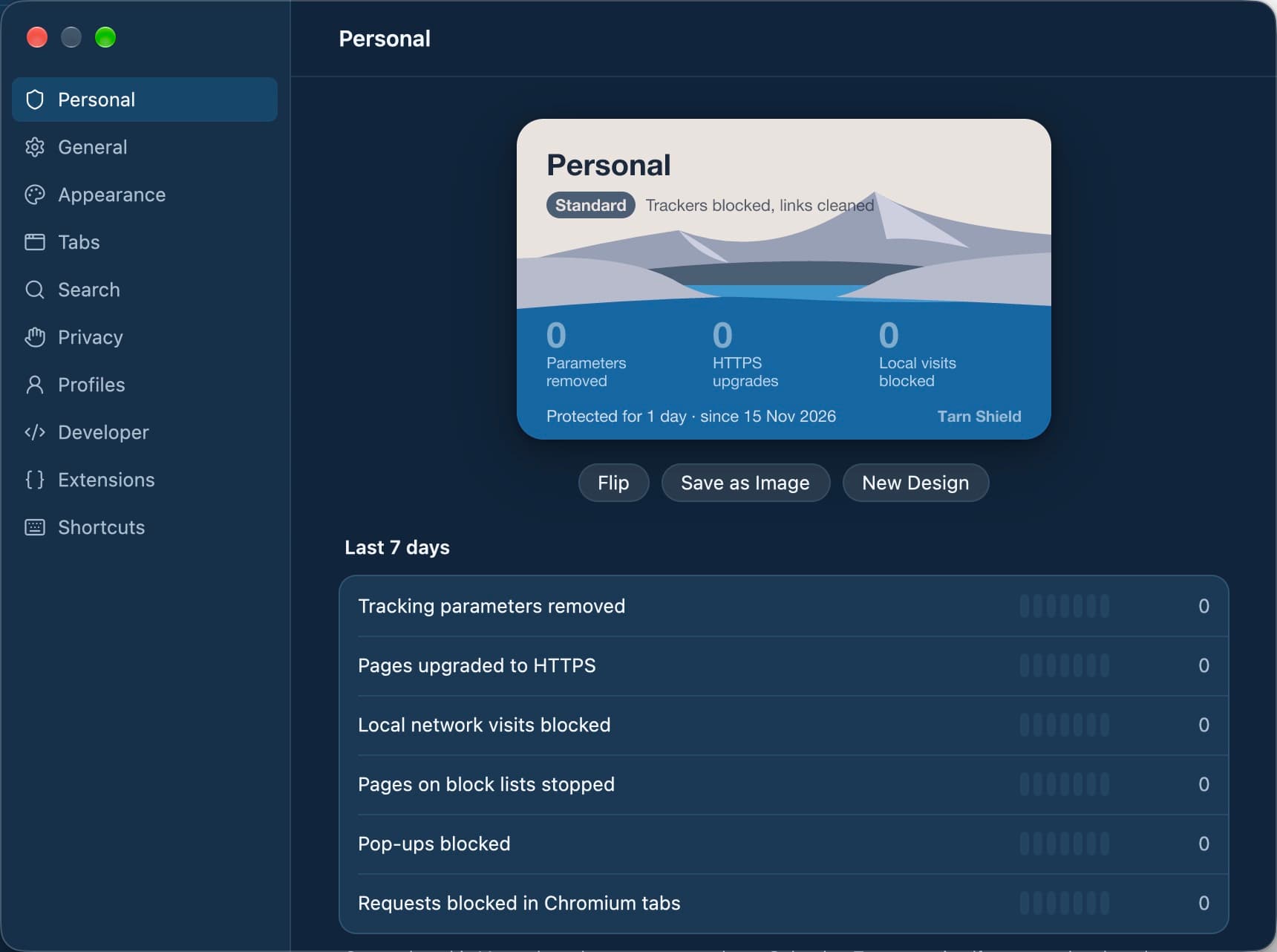
The Shield card in Settings shows tracking parameters removed, pages upgraded to HTTPS, local-network visits blocked, pages on block lists stopped and pop-ups blocked. The counts show a total and each of the last seven days, and stay on your Mac, separately for each profile.
Why does Shield keep pages off my local network?
A public website can try to send requests to your router, printer or a development server on localhost. Shield blocks requests to loopback and private address ranges unless the page you are on is itself local, so your own local tools keep working.
What it does not do
- Shield does not offer deep fingerprinting protection; WebKit does not make it possible. Tarn keeps Safari's user agent rather than a custom one.
- Encrypted DNS inside the app is not possible on WebKit.
- The local-network rule matches addresses, not DNS answers, so DNS rebinding is only partly covered.
- WebKit security fixes come from Apple with macOS updates; Tarn cannot ship them itself.
Questions
Which Shield level should I use?
Standard suits everyday browsing and is the default for new profiles. Use Strict when you want HTTPS everywhere, and Lockdown for sites you do not trust or need to read without scripts.
Can I click through a certificate warning in Strict?
No. Tarn has no certificate bypass at any level, and Strict blocks plain-HTTP navigations into a site that is HTTPS-only.
Does Lockdown break websites?
Many sites need JavaScript, so some will not work under Lockdown. Set Lockdown for one site from the Shield badge rather than for the whole profile if you only need it there.
Is Shield the same as the ad blocker?
Shield sets the level of protection; ad, tracker, cookie-banner and other blocking are switches in Settings › Privacy that work alongside it. Ads, trackers and cookie banners can also be turned off for one site from the Shield button.
Does Tarn send my Shield data anywhere?
No. Which sites you visit, which were blocked and which you let through are not sent anywhere. Tarn has no accounts and no telemetry.
Last reviewed
Try Tarn on your Mac
No account to make and nothing sent home. macOS 14 or later; other platforms are in development.