Tabs
A sidebar that keeps your tabs in order
- Layout
- Vertical tabs in a sidebar, 200 to 420 pt wide
- Pin
- ⌘D; the tab remembers its pinned page
- Groups
- ⌥⌘G, with a name and a colour
- Sleep
- Background tabs after 10 min to 2 h, default 30 min
- Awake limit
- 3, 6, 10 or 16 tabs kept awake, default 6
- Reopen
- ⇧⌘T, the last 20 closes
How is the sidebar organised?
From the top: a three-column grid of tiles, pinned tabs, folders, a divider, the New Tab button and your other open tabs. Drag a tab between the tile grid, the pinned section, folders and the list. Folders nest, and each level opens and closes on its own.
- ⌘S shows or hides the sidebar
- Drag its edge to set the width; a double-click restores the default
- With the sidebar hidden, rest the pointer at the window's left edge to float it in
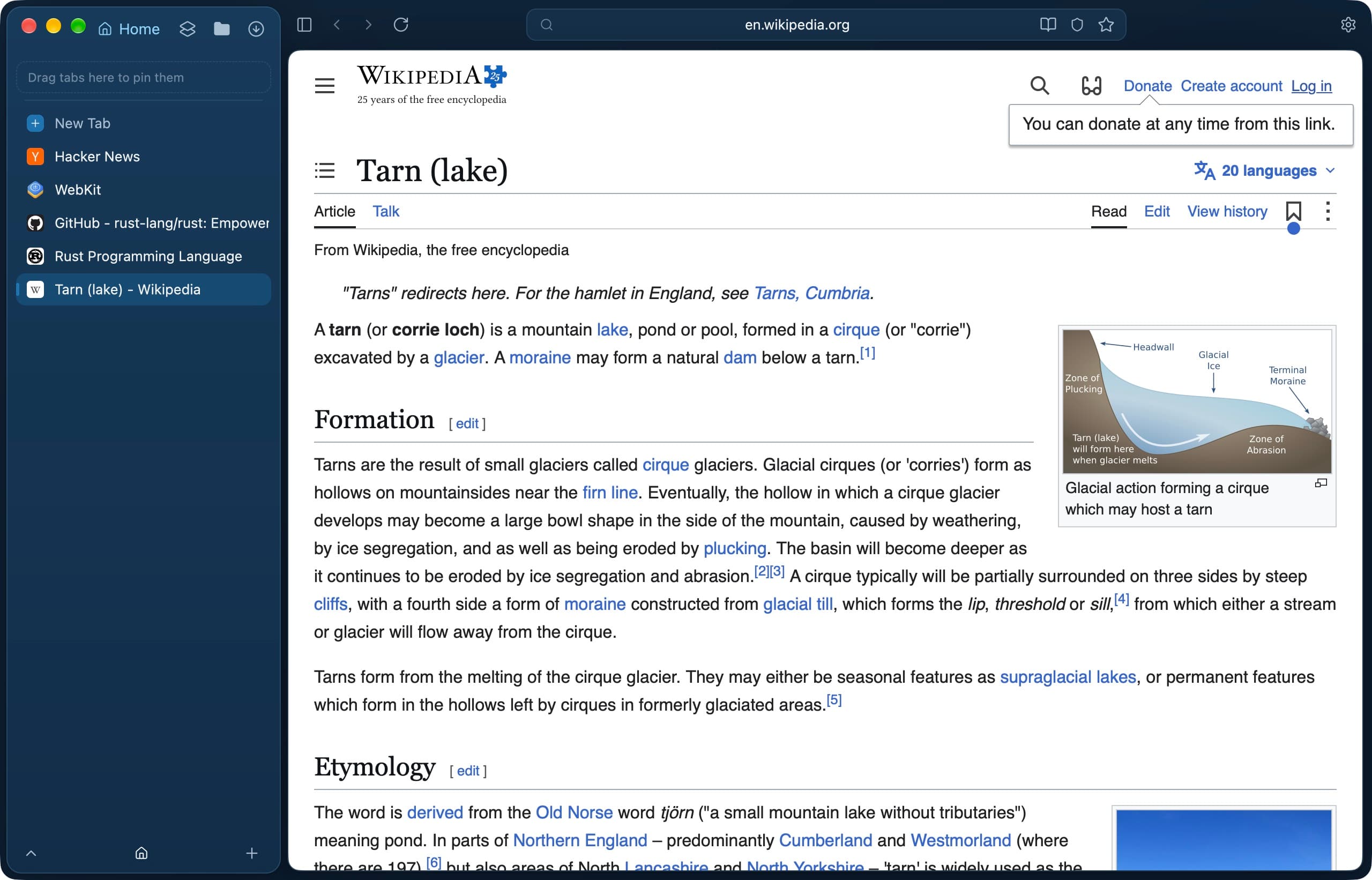
What does a pinned tab remember?
A pinned tab or tile keeps the address it was pinned on. Once it shows another page, its row gets a ↩ button that returns it, and Set Pinned URL to Current Page makes the new page its home. ⌘W on a pinned tab unloads it instead of removing it.
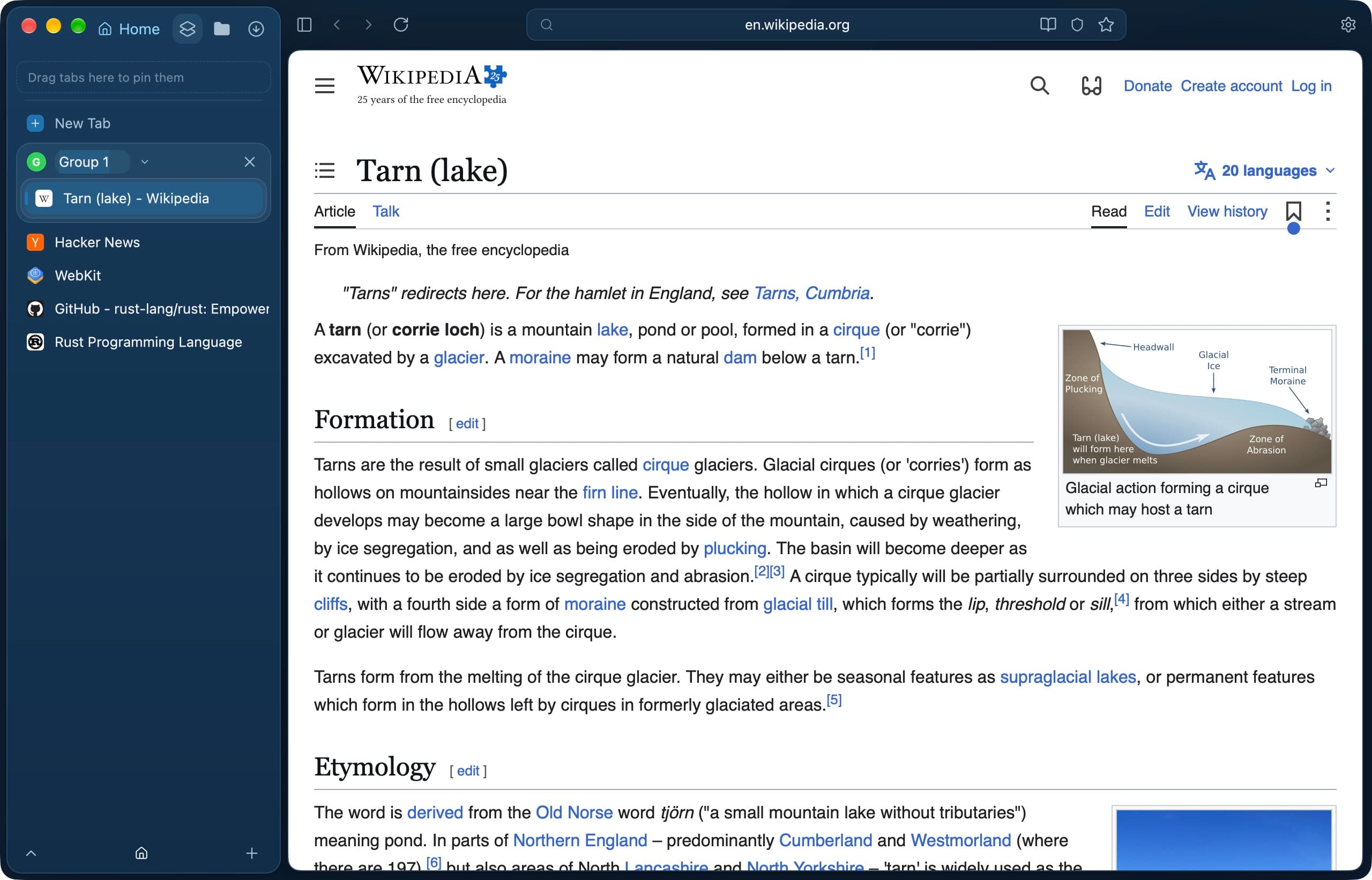
How do tab groups work?
⌥⌘G starts a group with the current tab. A group has a name and a colour, collapses to show only its active tab, and closes with its tabs from the ×. Tabs drag in and out like they do with folders, and groups reorder by dragging the header.
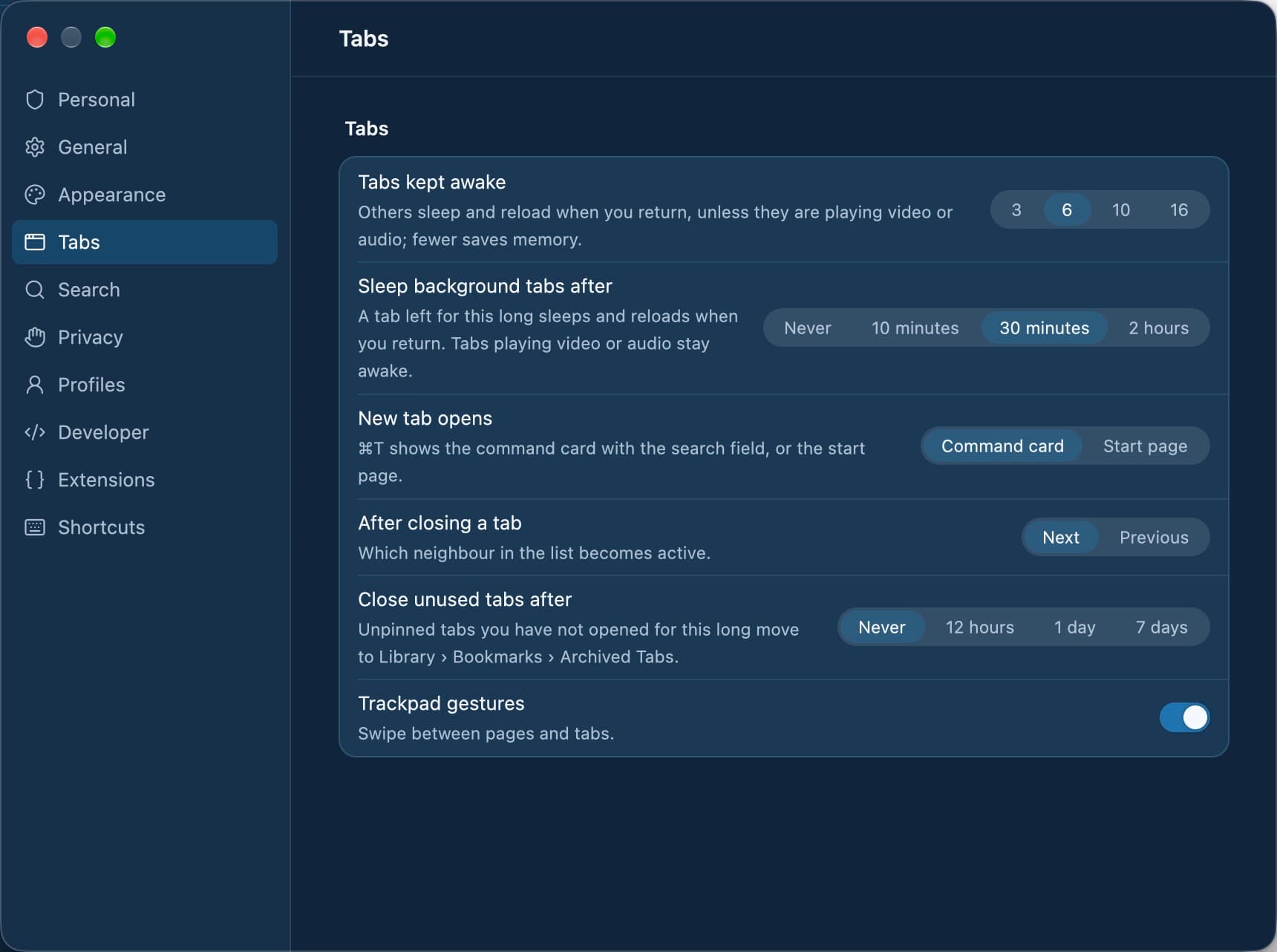
Why do some tabs look dimmed?
A dimmed tab is asleep: its page is unloaded until you open it again. Background tabs sleep once more tabs are open than the kept-awake limit, or after the time set in Settings › Tabs. A tab playing video or audio stays awake, as do the active tab and both panes of a split.
- Sleep Tab and Sleep Other Tabs unload tabs on demand
- Library › Memory lists the space's tabs by memory and CPU
- The timer leaves pinned tabs and tiles alone

What it does not do
- Uploads and unsaved form input do not keep a tab awake. A sleeping tab can lose what you typed but did not send.
- Reopen Closed Tab keeps the last 20 closes and returns each only to the space it was closed in. Tabs of a deleted space are not brought back.
- Chromium tabs are not measured in Library › Memory, and audio from frames or Web Audio is not seen there when deciding whether a tab is playing.
- These features are documented for the macOS app. Windows, Linux, iOS and Android are in development and not released.
Questions
Does Tarn have vertical tabs?
Yes. Tabs are listed in a sidebar on the left, with a tile grid, pinned tabs, folders and tab groups above the open tabs. ⌘S shows or hides it.
How do I reopen a closed tab in Tarn?
Press ⇧⌘T, or use Undo on the toast that appears when you close a tab. Tarn keeps the last 20 closes; tabs closed together, such as a group, come back together.
What happens to tabs I have not used for a while?
By default, background tabs sleep after 30 minutes and are reloaded when you open them. Settings › Tabs can also close unused tabs after 12 hours, 1 day or 7 days; they go into an Archived Tabs bookmark folder. That option is off by default.
Can I mute a noisy site?
Yes. Mute Site in the Tabs menu, a tab's menu or the toolbar's menu silences that host in the profile. An unmute button shows in the address field while the page is muted.
Can I save a set of tabs and open it later?
Save Space as Snapshot keeps the addresses, titles and groups of a space's tabs until you delete it. It holds no page state or cookies, and a private space cannot save one.
Can I rename a tab?
Yes. Choose Rename… from the tab's menu or double-click its row. The name is shown instead of the page title until you choose Reset Title.
Last reviewed
Try Tarn on your Mac
No account to make and nothing sent home. macOS 14 or later; other platforms are in development.