Command bar
Type where you want to go, or what you want done
- Open
- ⌘T new tab, ⌘L current tab
- Default search
- DuckDuckGo
- Sent to search
- Only on Enter
- Search-engine suggestions
- Off
- App actions
- Type > or an action name
- Available on
- macOS today
- rust-lang/rustSwitch to Tab
- Tarn (lake) - WikipediaSwitch to Tab
- Rust Programming LanguageSwitch to Tab
- Split ViewAction
- Shield: StrictAction
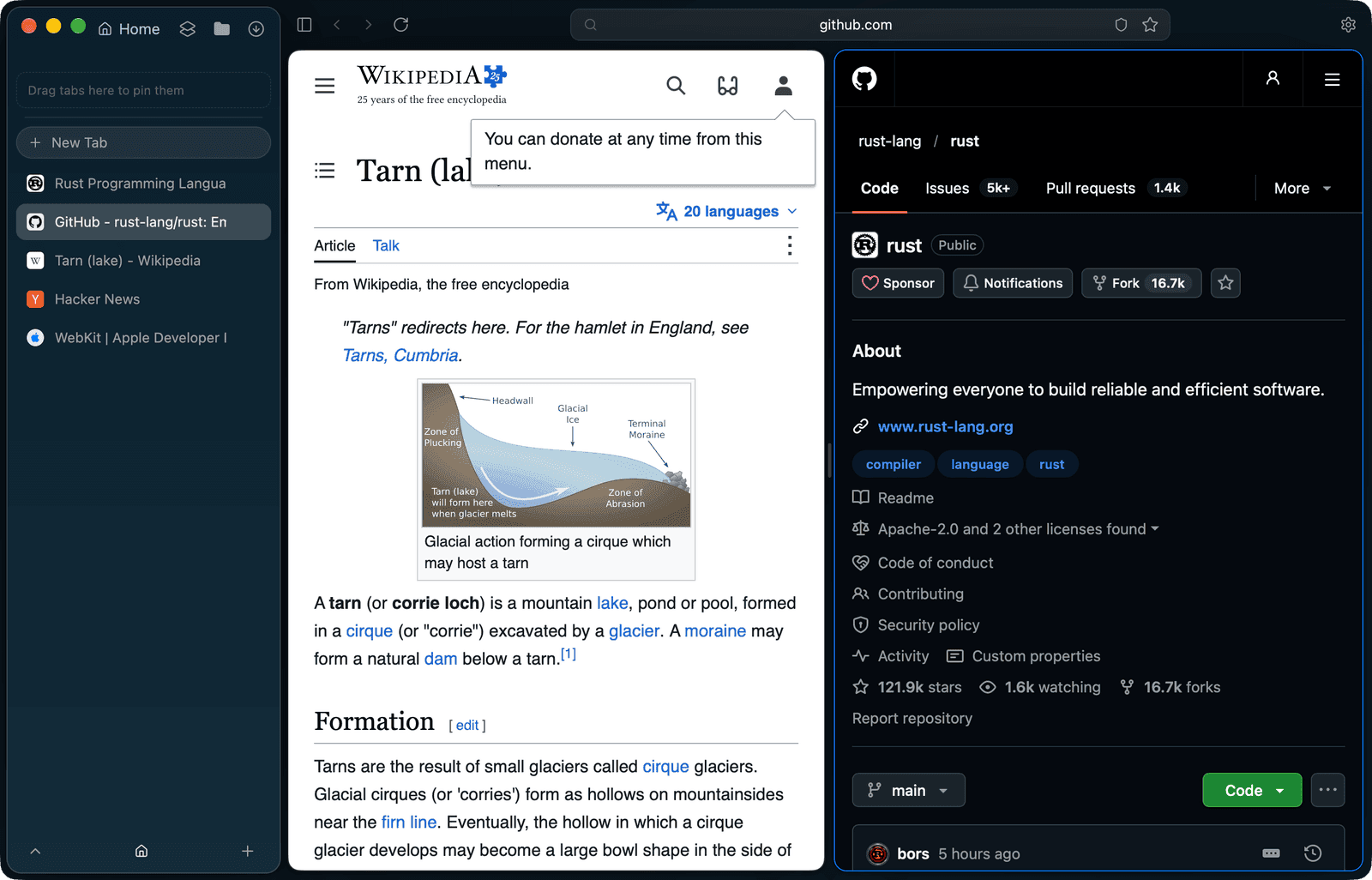
What can I type into the address field?
An address, a search, the name of a page you already have open, or an app action. ⌘T opens the field in the toolbar over a shown page, or the command card when no page is open; ⌘L edits the current tab's address. Both list the same rows, so Switch to Tab and actions work the same in each.
Does Tarn send what I type to a search engine?
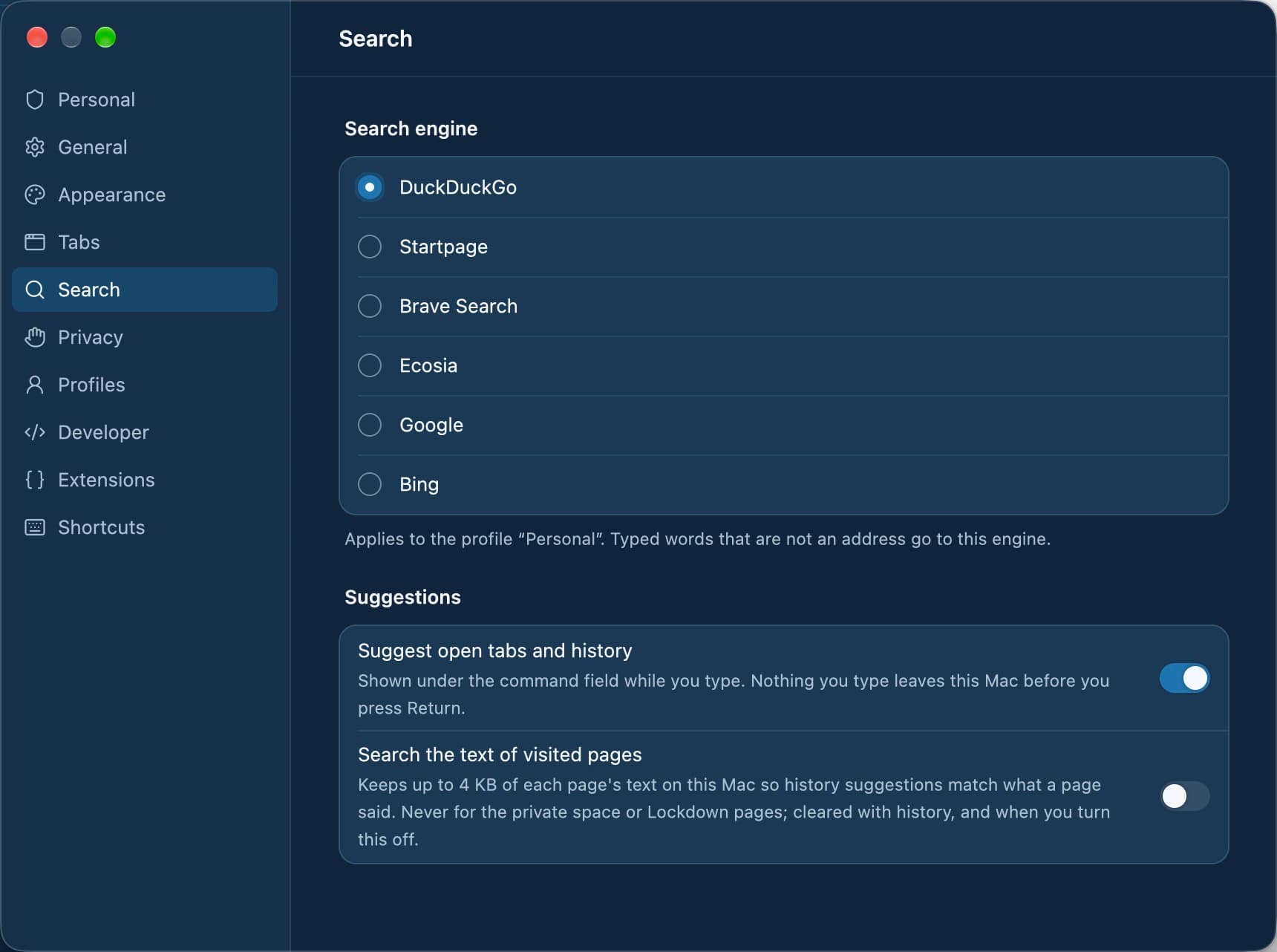
No, not while you type. Search-engine suggestions are off, so keystrokes stay on your Mac. A search is sent to DuckDuckGo, the default engine, only when you press Enter on it, and no affiliate or tracking parameters are added.
How does Switch to Tab work?
When an address you type is already open in the profile, the first row offers Switch to Tab instead of loading it again. A tab in another space shows that space's name, so you know where you will land.
How do I run app actions from the keyboard?
Type a leading > or an action name such as "settings" or "new space", and the field lists matching app actions with their shortcuts. Actions include Find in Tabs, Show Memory Use, Copy Clean Link, Share and New Burner Tab.
- Arrows or Tab and ⇧Tab move the selection
- Enter opens or runs the selected row
- Esc or a click elsewhere closes the field
What it does not do
- There are no live search suggestions while you type; that is the cost of not sending keystrokes.
- Switch to Tab offers tabs of the current profile only, not tabs open in another profile.
- Find in Tabs searches the text of awake tabs; a sleeping tab is found by its title or address only.
- The command bar ships on macOS today; Windows, Linux, iOS and Android are in development.
Questions
What is the default search engine?
DuckDuckGo. Each profile has its own search engine, which you can change in Settings › Search.
Are keystrokes sent anywhere while I type?
No. Search-engine suggestions are off, so nothing is sent until you press Enter on a search.
How do I see the shortcut for an action?
Type > in the field. Each action is listed with its current shortcut, including keys you changed in Settings › Shortcuts.
Can I search across my open tabs?
Yes. Find in Tabs, from the command bar or Edit › Find in Tabs…, searches the text of the current space's tabs and lists up to 12 matches with snippets.
Does the field show the full URL?
While editing it shows exactly what was typed. At rest the toolbar shows the page's host.
Last reviewed
Try Tarn on your Mac
No account to make and nothing sent home. macOS 14 or later; other platforms are in development.