Blocking
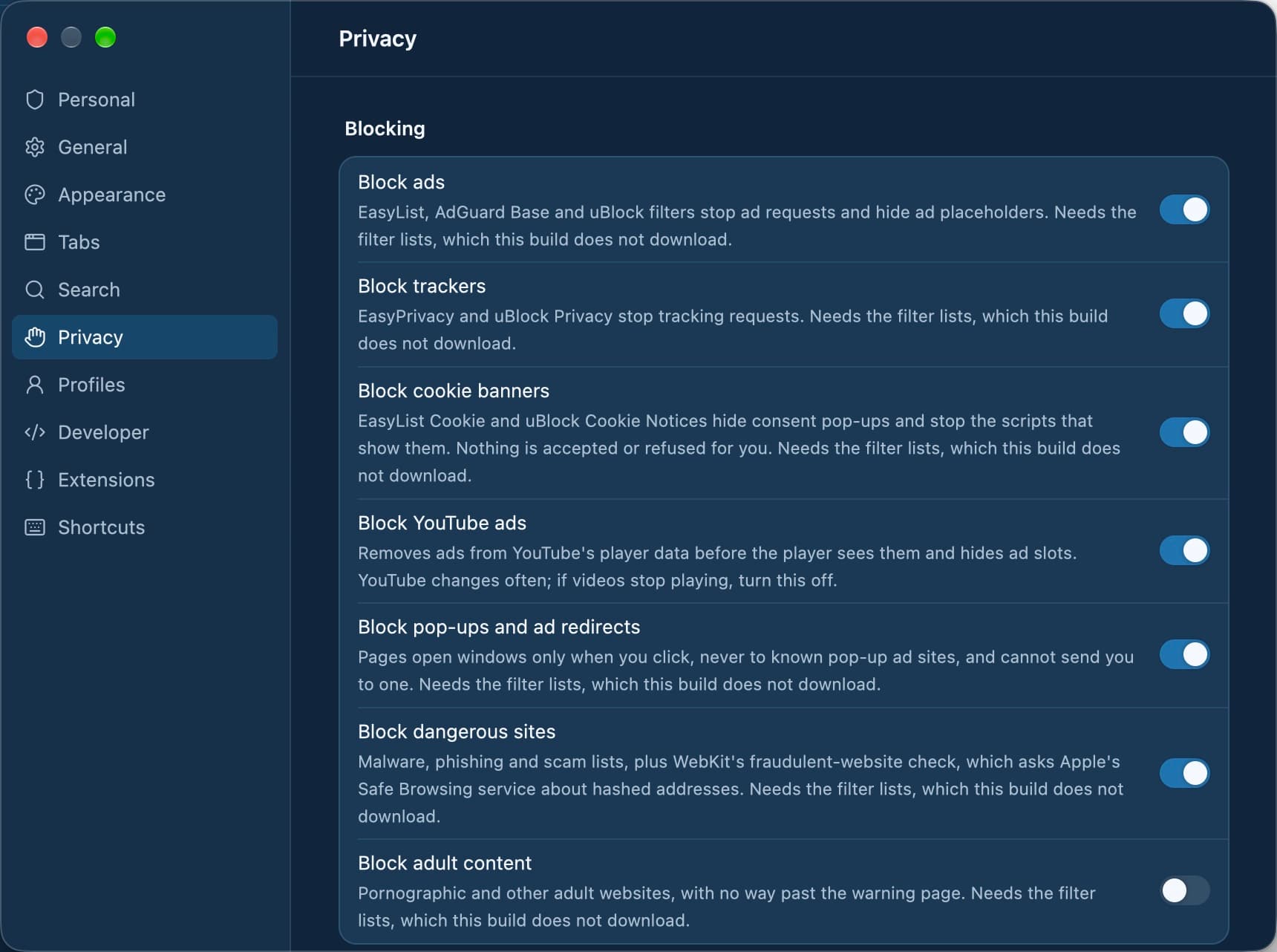
Blocking you can switch
- Ad lists
- EasyList, AdGuard Base, uBlock filters
- Tracker lists
- EasyPrivacy, uBlock Privacy
- On by default
- Ads, trackers, cookie banners, pop-ups, YouTube ads, dangerous sites
- Off by default
- Adult sites
- Updates
- One signed bundle, built daily
- Where it runs
- Lists are checked on your Mac
What can Tarn block?
Every category is a separate switch in Settings › Privacy, so you can keep the ones you want and turn off the rest.
- Ads, with their empty placeholders hidden.
- Trackers.
- Cookie banners.
- YouTube ads.
- Pop-ups and redirects to pop-up ad sites.
- Malware, phishing and scam sites.
- Adult sites, if you turn the switch on.
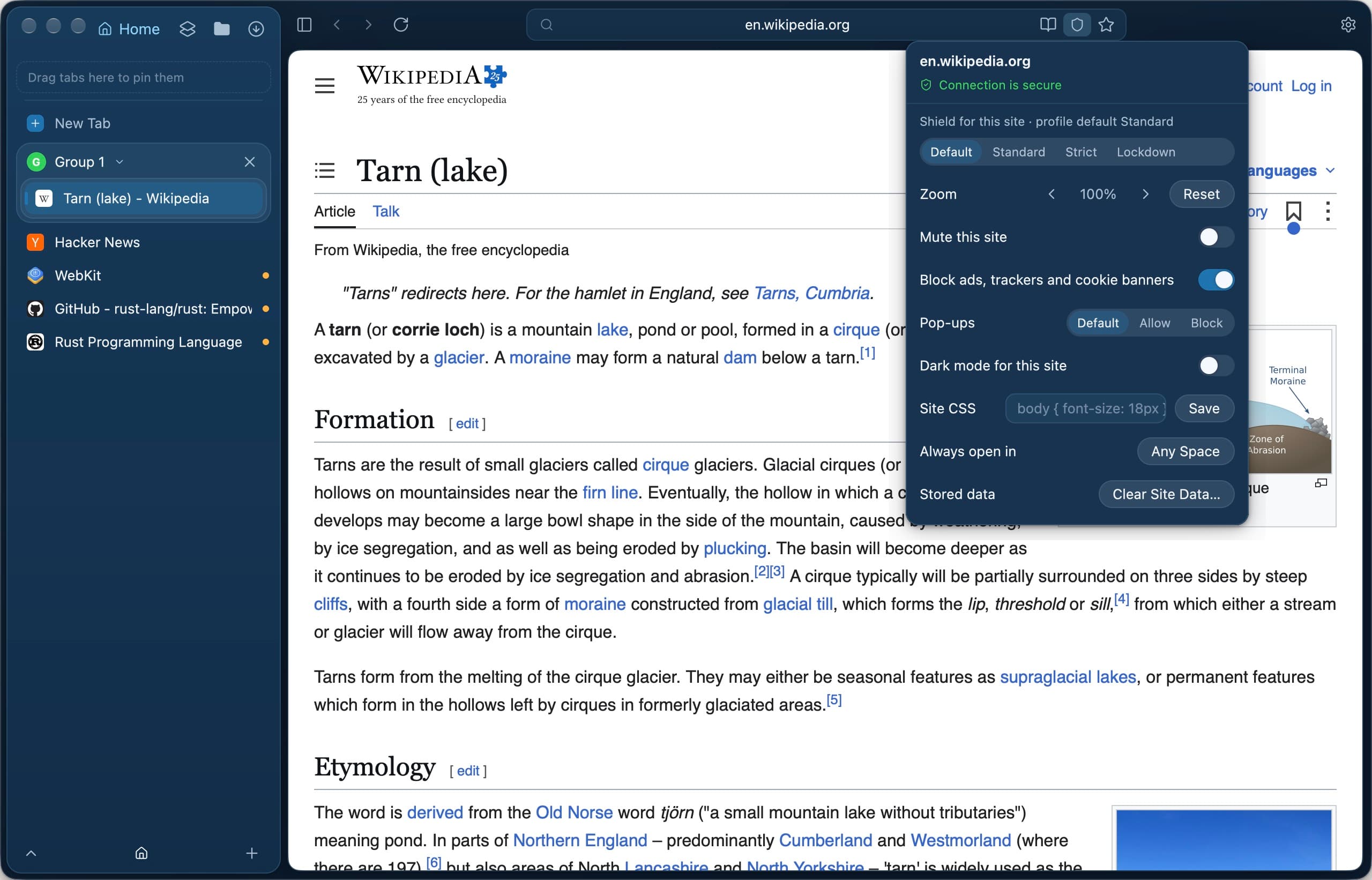
How do I turn blocking off for one site?
Click the Shield button in the address field. Ads, trackers and cookie banners can be turned off for that site alone, and a blocked pop-up can be allowed for the site or opened once. The paused state shows in the site popover and in Settings › Privacy.
What happens when I open a dangerous site?
Tarn shows a warning page that names the category and the host, drawn by Tarn itself rather than the site. Go Back is the default button. Malware warnings offer Visit Anyway, which Tarn remembers only until you quit; adult sites have no bypass on the page, which is the point of that switch.
Where do the lists come from, and can they be tampered with?
The lists come from EasyList, EasyPrivacy, AdGuard, uBlock Origin, URLhaus, CERT Polska, HaGeZi, OISD and other named sources. They are prepared into one bundle signed with Ed25519, and Tarn refuses a bundle with a bad signature or an older version. Lists are data only, never scripts or code, and every list is downloaded whatever you switched on, so the download does not reveal your choices.
Questions
Do I need an ad-blocking extension in Tarn?
No. Ad, tracker and cookie-banner blocking are built in and run on your Mac against lists from EasyList, AdGuard and uBlock Origin.
Does Tarn block YouTube ads?
Yes, with the YouTube ads switch, which is on by default. YouTube changes its player often, so it can break until an update follows.
Does Tarn accept cookies when it hides a cookie banner?
No. Hiding a banner neither accepts nor refuses anything; the banner is simply not shown.
Does phishing protection send my browsing history somewhere?
Block lists are checked on your Mac. The separate fraudulent-website check is done by WebKit and asks Apple, which relays Google Safe Browsing, about shortened hashes of addresses, not the addresses themselves. It follows the dangerous-sites switch.
How often are the block lists updated?
A new signed bundle is built daily, and Tarn checks for it once a day while Filter-list updates is on in Settings › Privacy.
Can I see what Tarn blocked?
The Shield card counts pages on block lists stopped and pop-ups blocked, kept on your Mac. Ad and tracker blocks in WebKit tabs are not counted, because WebKit does not report what its blocking rules stop.
What it does not do
- No blocker catches every ad: ads served from the same host and path as content, and video ads stitched into the stream by the server, get through.
- YouTube can change its player and break ad blocking there until a list or app update follows.
- A blocklist only knows listed domains, so a new malicious site is missed until the next daily bundle.
- Hiding a cookie banner neither accepts nor refuses anything, and a site that locks scrolling until you consent may stay locked.
Last reviewed
Try Tarn on your Mac
No account to make and nothing sent home. macOS 14 or later; other platforms are in development.