Tarn and Firefox: blocking built in, not added on
| Feature | Tarn | Firefox |
|---|---|---|
| Engine | System WebKit; Chromium per tab, optional | Gecko (WebKit on iOS) |
| Built-in blocking | Yes: trackers, ads, cookie banners, malware, each a switch | Partly: Enhanced Tracking Protection by default; ad blocking needs an add-on |
| Account required | No: Tarn has no accounts | No; a Mozilla account is optional, for sync |
| Telemetry | None | Technical and interaction data, can be switched off |
| Sidebar and vertical tabs | Yes: vertical tabs in the sidebar | Yes: optional vertical tabs |
| Spaces and profiles | Yes: spaces, and profiles with separate data | Yes: profiles and tab groups |
| Split view | Yes: two tabs side by side | Yes, since Firefox 149 |
| Sync between devices | No | Yes, with a Mozilla account |
| Extensions | Partly: Safari web extensions from installed Mac apps | Yes: Firefox add-ons |
| Platforms | macOS 14+ today; Windows, Linux, iOS, Android in development | Windows, macOS, Linux, Android, iOS |
| Open source | MIT or Apache-2.0 licence; source not public yet | Yes: MPL 2.0 |
— means we could not verify the cell from Firefox's own documentation or established reporting. Sources are listed at the end of the page.
Where Firefox is the better choice
Firefox runs on Windows, macOS, Linux, Android and iOS today and syncs between them with a Mozilla account; Tarn is Mac-only for now and has no sync. Its add-on catalogue is far larger than what Tarn supports, and Gecko is an independent engine that Mozilla has developed for decades. Firefox also blocks known fingerprinting scripts by default, which Tarn does not claim to do.
Where Tarn differs from Firefox
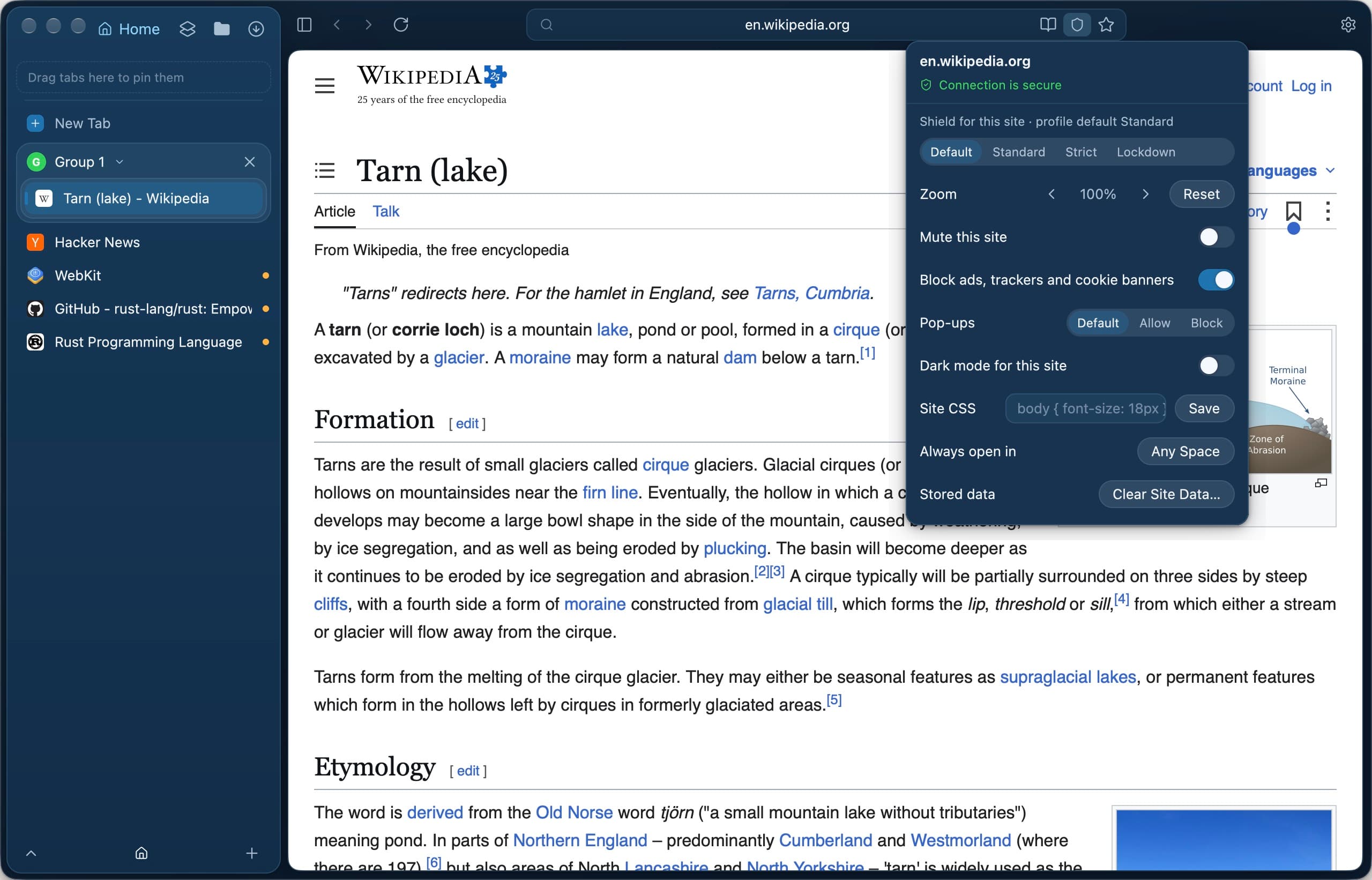
Firefox's Enhanced Tracking Protection blocks known trackers, cross-site cookies and cryptominers by default. Tarn also blocks ads and cookie banners itself, from signed lists drawn from EasyList, AdGuard and uBlock Origin.
- Each kind of blocking is a switch in Settings › Privacy, and ads, trackers and cookie banners can be turned off for one site.
- Shield adds Strict (HTTPS-only, no cross-site referrer) and Lockdown (JavaScript off, no site data kept), per profile or site.
- No telemetry to opt out of, and no account.
- The interface is drawn natively from Rust with GPUI; pages render in the WebKit that macOS keeps patched.
Tarn or Firefox?
Does Firefox block ads by default?
Firefox's Enhanced Tracking Protection blocks social media trackers, cross-site tracking cookies and cryptominers by default, and blocks tracking content in private windows. Blocking ads generally needs an add-on. Tarn blocks ads itself.
Does Firefox collect telemetry?
Firefox sends technical and interaction data to Mozilla, which you can turn off in its settings. Tarn has no telemetry to turn off.
Can I import my Firefox bookmarks into Tarn?
Yes. Import Browser Data reads Firefox profiles on your Mac and brings in history and bookmarks, and cookies if you choose Import All. Bookmarks land in a folder named after the source.
Is Tarn open source like Firefox?
Not yet in practice. Tarn's README names the MIT or Apache-2.0 licence, but its source code is not public at the moment. Firefox is published under the Mozilla Public License 2.0.
Does Tarn protect against fingerprinting like Firefox?
No. Tarn does not offer deep fingerprinting protection, because WebKit does not make it possible. If that matters most to you, Firefox is the better pick.
Switching from Firefox: what to expect
Tarn imports history, bookmarks and cookies from Firefox profiles on your Mac; container and partitioned cookies are skipped. Pages render in WebKit instead of Gecko, so a few sites may look slightly different. Firefox add-ons do not carry over, and an ad-blocking add-on is not needed for the basics.
Sources
- Mozilla Support: Enhanced Tracking Protection in Firefox for desktop
- Mozilla Support: Trackers and scripts Firefox blocks
- Mozilla Support: Technical and interaction data settings
- Mozilla: Firefox Privacy Notice
- Firefox 149 release notes (Split View)
- Firefox 150 release notes (tab groups, Split View)
- Tarn: the project's README, privacy notice, threat model and interface notes.
Last reviewed
Try Tarn on your Mac
No account to make and nothing sent home. macOS 14 or later; other platforms are in development.